

1 / 5 · 点击缩略图查看
定制商品SPRINTRAY-003
SprintRay RayWare Desktop
RayWare Desktop
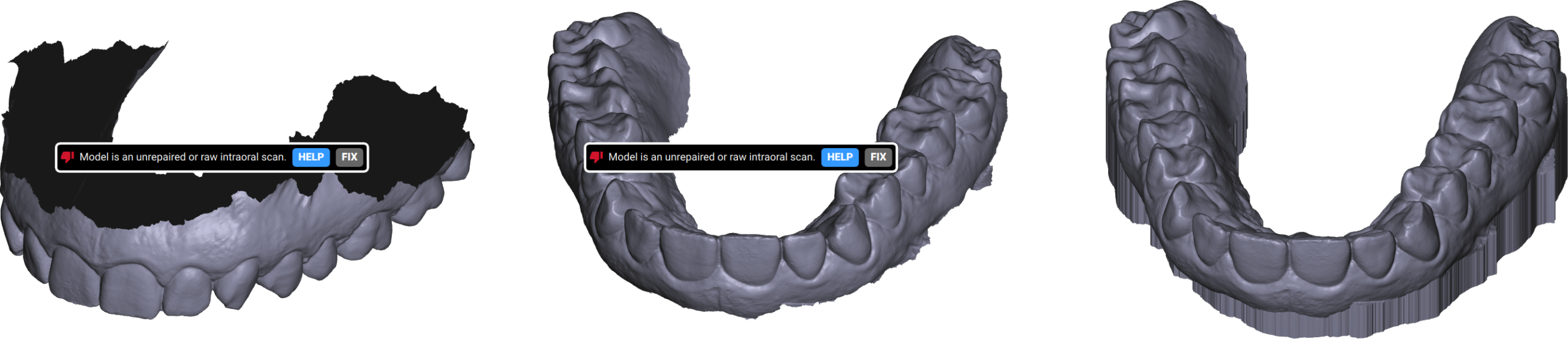
SprintRay RayWare Desktop是一款已弃用且不再受支持的牙科3D打印软件,建议用户转用RayWare Cloud。该软件曾是SprintRay牙科3D打印的核心枢纽,专为牙科专业人士设计,支持Windows、Intel Mac及M1 Mac系统。它集成了PrintOS 6.64和ProCure 1.73更新,并具备并行切片技术,可实现高达10倍的切片速度提升。软件还提供像素调色、实时打印监控、历史作业记录及树脂用量报告功能。
参考起订量
1000
计量口径见定制说明
商品资料更新:2026/8/15
规格与选型
- 品牌
- SprintRay
- 官网
- https://sprintray.com/desktop-software/
- 来源
- 厂家官网(Playwright 采集 2026-08)· 客观整理 · 未实测
- 厂家参数原文
- Download RayWare Automated Dental 3D Printing Software. RayWare Version 2.9.2 (!) RayWare Desktop is a deprecated product that is no longer supported. Please visit account.sprintray.com to use RayWare Cloud instead. RayWare is the central hub of the SprintRay dental 3D printing experience. Designed specifically for dental professionals, its user-friendly interface makes it easy to learn while its powerful CAD automation features help improve efficiency. What’s more, it operates in tandem with your SprintRay products to help unlock new pathways to practice control. Windows Intel Mac M1 Mac Watch: How to Update RayWare Release Notes RayWare for MoonRay If you are currently using a version of RayWare below 2.5 or you are a MoonRay user, we do not recommend that you update. Upgrade your SprintRay 3D Printer Upgrade Available for Free via RayWare 2.5 and up See the full list of features PrintOS Updates PrintOS Version 6.64 The latest version of PrintOS enables all the new features available on SprintRay Pro. To update, install the latest version of RayWare and then make sure your printer is connected to the same WiFi network as your computer, then look for the notification in your 'Settings' tab. To install, follow the instructions on your Pro’s touchscreen > Settings. PrintOS Release Notes ProCure Updater Pro Cure Version 1.73 To update ProCure firmware, you'll need to use the USB cable that came in the box with your ProCure to connect to a computer. Updates include new resin profiles. Windows Mac Always Forward, Continuously Improving RayWare is more than just an intermediary step between scan and print. It’s the embodiment of the SprintRay philosophy to keep things simple, focused, and to leverage every possible avenue to improve our products. The best part? RayWare is always getting better. The process of taking your 3D model and slicing it into hundreds or thousands of individual printed layers can be quite resource intensive. With Parallel Slicing, a print job is divided up into component parts that are then simultaneously tackled by subdivisions of the computer’s hardware. Because the new slicer operates on the entire job in parallel, the computing hardware is used much more efficiently. Users can experience up to 10X faster slicing speeds, especially with taller models. A triumph at the intersection of hardware and software, Pixel Toning uses advanced software to dynamically adjust each projector flash on a pixel-by-pixel basis to drastically increase s --- Live Status Update Monitor progress on active print jobs, get notified when a job is completed.* View & Filter Recent Jobs View logs and records of print history.* Get Resin Use Reports Track resin consumption by type, giving you powerful inventory data.* --- Monitor progress on active print jobs, get notified when a job is completed.* --- View & Filter Recent Jobs View logs and records of print history.* --- View & Filter Recent Jobs --- View logs and records of print history.* --- Get Resin Use Reports Track resin consumption by type, giving you powerful inventory data.* --- Get Resin Use Reports --- Track resin consumption by type, giving you powerful inventory data.*
定制与交付
起订计量单位、工艺限制、交付日期及包装方案,以双方确认的订单为准。
订购与包装
- 参考最小起订量
- 1000
专业知识与选型解答
专业实践
诊室流程数字化
描述实际做法,不代表专利或知识产权认证。
贸易、标准与资料依据
以下为商品资料登记。标准名称、文件编号或状态记录不等于平台独立核验,也不自动构成监管批准。
- 登记产地
- CN
AustinEco · 专业定制协作。产品选型、工艺与交付条件,以已确认的方案和订单为准。